
Search: "deploy architecture"
Last modified by Erik Bakker on 2026/01/02 13:53
Refine your search
Select a category and activate filters on the current results
Result type
- 3Document
- 2Attachment
Language
- 5English
Last modification date
- Sort by:
- Relevance
Page
Results 1 - 5 of 5
- 1
Create your Topic
Located in
- Attachment name
crashcourse-eventstreaming-create-your-topic--deploy-architecture-after-apply.png
…crashcourse-eventstreaming-create-your-topic--deploy-architecture-before-apply.png
- Raw document content
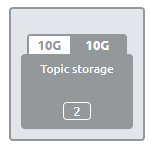
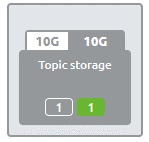
To deploy a particular topic in an environment, you need to navigate towards Deploy Architecture. === 3.1 Register the topic on the cluster === Within Deploy Architecture, you will see your Topic Storage, including the newly added topic in green. [[image:Main.Images.Microlearning.WebHome@crashcourse-eventstreaming-create-your-topic--deploy-architecture-before-apply.png]] To ensure that the topic is created in that environment, enter "Start Editing" mode and press Apply to Environment.
…[[image:Main.Images.Microlearning.WebHome@crashcourse-eventstreaming-create-your-topic--deploy-architecture-after-apply.png]] == 4. Key takeaways == * eMagiz automates the creation of your topic based on your design; you only need to register it. * To register and deploy your topic, simply navigate to the Deploy Architecture section, enter "Start Editing" mode, and click "Apply to Environment." == 5.


Deploy Topics (Architecture)
Located in
- Raw document content
Exercise == Below the exercises for this part of the crash course. === 2.1 Deploy architecture === Ensure deploy the topic as configured in Design. == 3.
Allow access to Consumers/Producers
Located in
- Raw document content
Exercise == Below the exercises for this part of the crash course. === 2.1 Deploy architecture === * Apply user management * Ensure to gather all user information that a Producer or Consumer requires to acces the topic == 3.
Page
- 1