
crashcourse-messaging-pick-up-files
Version 15.1 by marijn on 2022/05/10 11:16
Pick up Files
In this microlearning, we will explain the basics of retrieving files from a local directory (i.e. a directory that is directly accessible within the network where the eMagiz process is running)Should you have any questions, please contact academy@emagiz.com.- Last update: February 25th, 2021
- Required reading time: 8 minutes
1. Prerequisites
- Basic knowledge of the eMagiz platform
2. Key concepts
This microlearning centers around retrieving files from a local directory via eMagiz. By retrieving we mean: Checking with a certain interval if new files are ready to be pulled from the directory by emagiz By local directory we mean: A directory that is directly accessible within the network where the eMagiz process is runningKey considerations when picking up files are:- What are the determining criteria to define when a file is "ready" to be picked up (age, pattern, size, etc.)
- With what frequency is eMagiz going to check for new files
- Has eMagiz the appropriate rights to read from the directory where the messages are to be retrieved from
- What is the format (i.e. XML, JSON, EDI, TXT, CSV, etc.) of the files that eMagiz needs to retrieve
3. Pick up Files
One of the easiest connectivity methods to implement within eMagiz is the retrieval of files from a local directory. With this method, eMagiz will periodically look whether (new) files are ready for consumption. There are four key considerations you should take into account when picking up files:- What are the determining criteria to define when a file is "ready" to be picked up (age, pattern, size, etc.)
- With what frequency is eMagiz going to check for new files
- Has eMagiz the appropriate rights to read from the directory where the messages are to be retrieved from
- What is the format (i.e. XML, JSON, EDI, TXT, CSV, etc.) of the files that eMagiz needs to retrieve
3.1 Determining Criteria
By default, eMagiz has a filter that will only accept each file once. This option is called prevent duplicates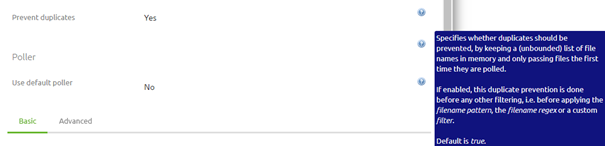
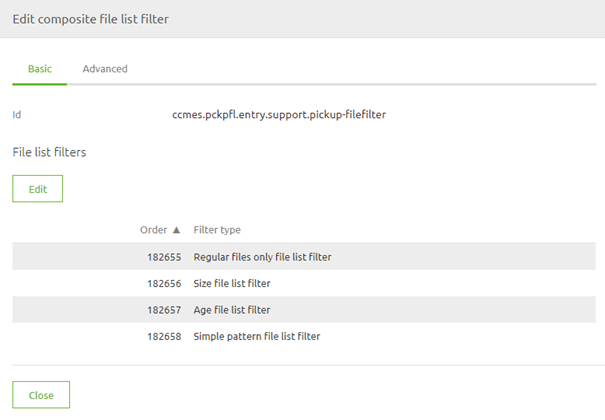
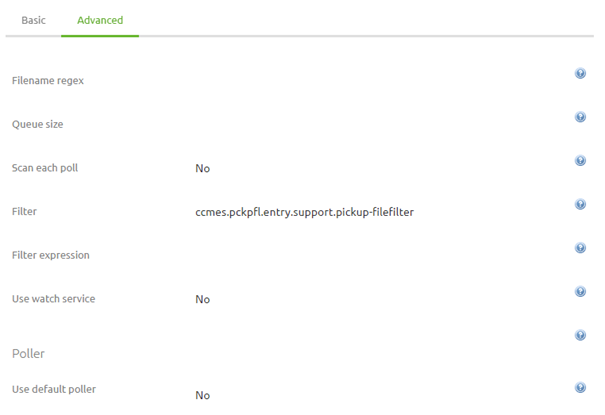
- Regular files only
- Size list filter (minimum 1 bytes, maximum 1048575)
- Age file list filter (minimum 10000)
- Simple pattern file list filter (${file.pickup.pattern})
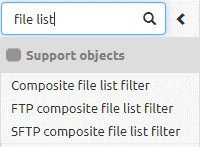
3.2 Frequency
Now that we have established the criteria that govern which messages can and which messages cannot pass the next thing we need to consider is with what frequency we are going to let eMagiz check for new files.There are three options from which you can choose:- Fixed Delay
- Fixed-Rate
- Cron Trigger

3.3 Appropriate Rights
To retrieve files from a local directory eMagiz needs to have the appropriate rights to access the directory in question. If the directory in which the files are located is part of a structure of other directories you need to ensure that eMagiz has sufficient rights on all directories above the directory from which you want to retrieve files.If this is not the case you will not be able to retrieve the files from a local directory via eMagiz.3.4 Message Format
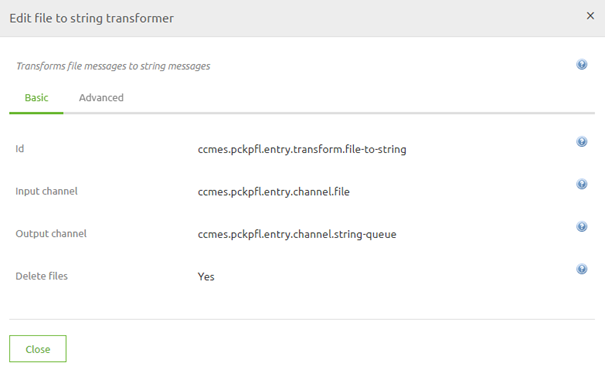
Files come in many different forms, shapes, and sizes. Due to the wide variety of options, you will need to ensure that the data is processed correctly. How to process each message format (i.e. XML, JSON, EDI, CSV, etc.) correctly is explained in other microlearnings where we zoom in on each of the message formats.For learning about picking up files we need to know that in other for eMagiz to process the content of the file in the onramp and further downstream the contents of the file need to be transformed to string.There is a component in eMagiz called the file to string transformer. You should place this directly after receiving the file from the external source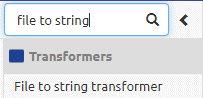

Practice
4. Assignment
Build an entry that retrieves files from an external source and ensures that the data is delivered on the onramp queue. This assignment can be completed with the help of your (Academy) project you have created/used in the previous assignment.5. Key takeaways
- Key considerations when picking up files are:
- What are the determining criteria to define when a file is "ready" to be picked up (age, pattern, size, etc.)
- With what frequency is eMagiz going to check for new files
- Has eMagiz the appropriate rights to read from the directory where the messages are to be retrieved from
- What is the format (i.e. XML, JSON, EDI, TXT, CSV, etc.) of the files that eMagiz needs to retrieve